Credits and account
NinjaTrader Xen is a pay-as-you-go service. Your balance is shown in the workspace header and the cost of each AI request is deducted from that balance. The amount used varies with the selected model and the size of the conversation. New eligible NinjaTrader Xen accounts receive £5 of trial credit for 48 hours. The welcome notice confirms the award and its expiry. Trial protection is applied per platform and may prevent repeated awards from the same device or network.
The credit indicator uses a healthy, low or empty state so that you can see when a top-up may be needed. Xen blocks new AI requests when the available balance has run out, while keeping saved projects and account pages accessible.
Trial credit
Eligible new accounts receive £5 of free trial credit, valid for 48 hours. If trial credit is added, the welcome message confirms its expiry. Creating an account does not guarantee a trial award.
Free trial credit wasn't added?
Trial credit may be unavailable when you use a VPN, proxy or certain shared networks, or when a trial has already been claimed. Turn off your VPN or proxy, reconnect using your usual internet connection, then sign out of Xen and sign in again so eligibility can be checked again. This does not guarantee an award or reset a previous trial.
Possible reasons
VPN, proxy or network restrictions. Some connections are identified as VPNs, proxies, hosting networks or higher-risk networks. This can also affect shared or managed connections. Trial eligibility may be restricted in some countries or regions.
A previous trial. A previous award associated with your account, device or network may prevent another award. Creating another account does not make you eligible for additional trial credit.
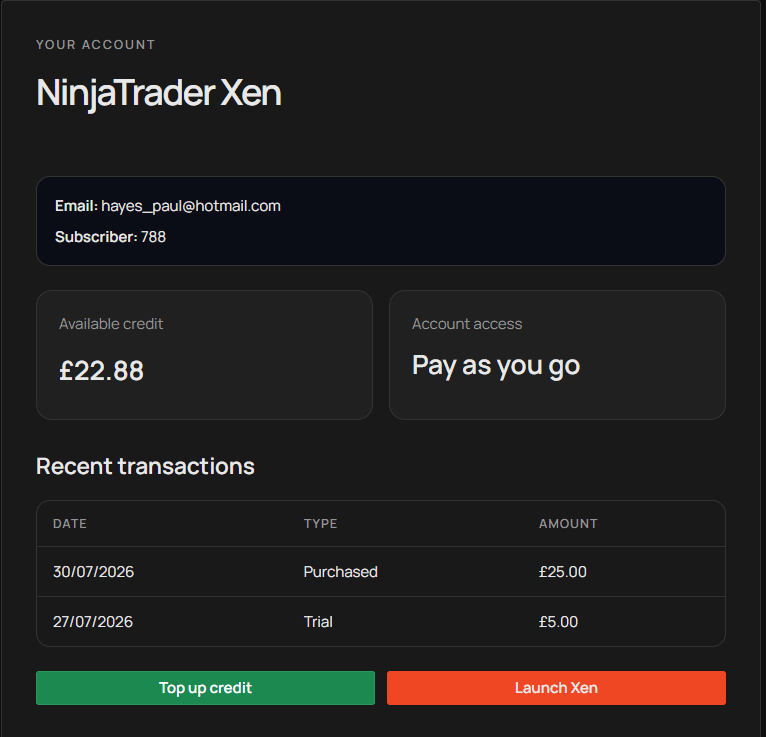
Credit was already used or expired. A zero balance does not always mean a trial was refused. Trial credit expires after 48 hours and may be used up sooner. Check Account for your credit transactions. Signing in again does not replenish used or expired trial credit.
What to do next
If you use a VPN or proxy, disable it and sign in again using your usual connection. If trial credit is still unavailable and you believe you are eligible, contact support using the address on the top-up page and include your Xen account email. Do not send your password or payment card details.
You can also purchase credit to continue using Xen. Not receiving trial credit does not prevent you from signing in or purchasing and using paid credit.
Add credit
Select Top up from the workspace or account page, choose £1, £5, £10, £15 or £25, and continue to Stripe's secure checkout. After payment, Stripe returns you to Xen and the completed transaction appears in your account.
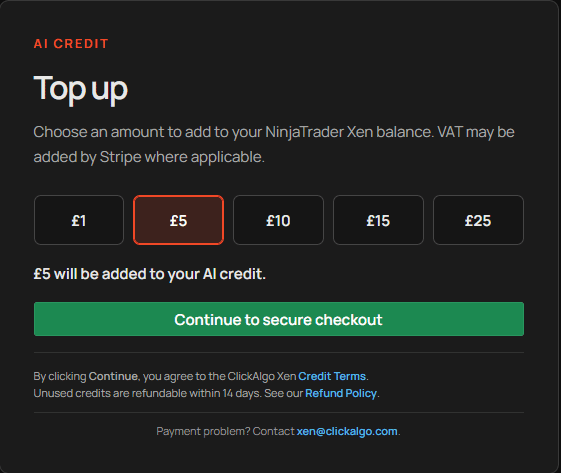
Unused purchased credits are subject to the published Credit Terms and Refund Policy linked on the top-up page. If a completed payment does not appear, use the support address shown there and include the email address for your Xen account. Do not send card details.
Review your account
The Account page shows your email address, platform, current balance, access type and recent transactions. Return to Xen takes you back to the workspace. Your NinjaTrader Xen balance is associated with the NinjaTrader platform account, even when the same email address is also used for another Xen product.