Working with Existing Code
Use Existing Strategy or Existing Indicator when a complete NinjaScript file already exists. These tasks are intended for controlled changes, code review and problems that appear only after the script is compiled or run in NinjaTrader. Click Add source code, then paste the complete NinjaScript source or load a .cs file. Source added this way is stored with the project separately from the chat conversation, so later reviews, clarification answers and modification requests continue to use the attached code.
The first file is the Current codebase. After saving it, use the normal message box for requirements, questions and requested changes rather than pasting the full source into chat. If a complete Strategy or Indicator is pasted into the message box, Xen redirects it to the source-code window so it can be retained correctly.
Working on Existing NinjaTrader Strategies using AI
Watch this two-minute video to see how Xen improves your existing strategy.
Tip: Set the video quality to HD (1080p) for the best viewing experience.
Add more source files
An existing-code project can contain up to four source files. This allows one current Strategy or Indicator plus a small number of supporting or example files without sending an unnecessarily large codebase to the AI model.
When adding another file, choose how Xen should use it:
- Integrate with current source tells Xen to incorporate the relevant functionality into the current Strategy or Indicator.
- Use as reference only lets Xen study the calculations, structure or behaviour as an example without treating all of that code as functionality that must be merged.
- Replace current source makes the newly supplied file the authoritative current codebase.
Attached files appear above the message box as current source, additional source or reference source. Use the remove control beside a file if it was attached accidentally or with the wrong purpose. Xen requires a current source before it can review or modify an existing-code project.
Describe a focused change
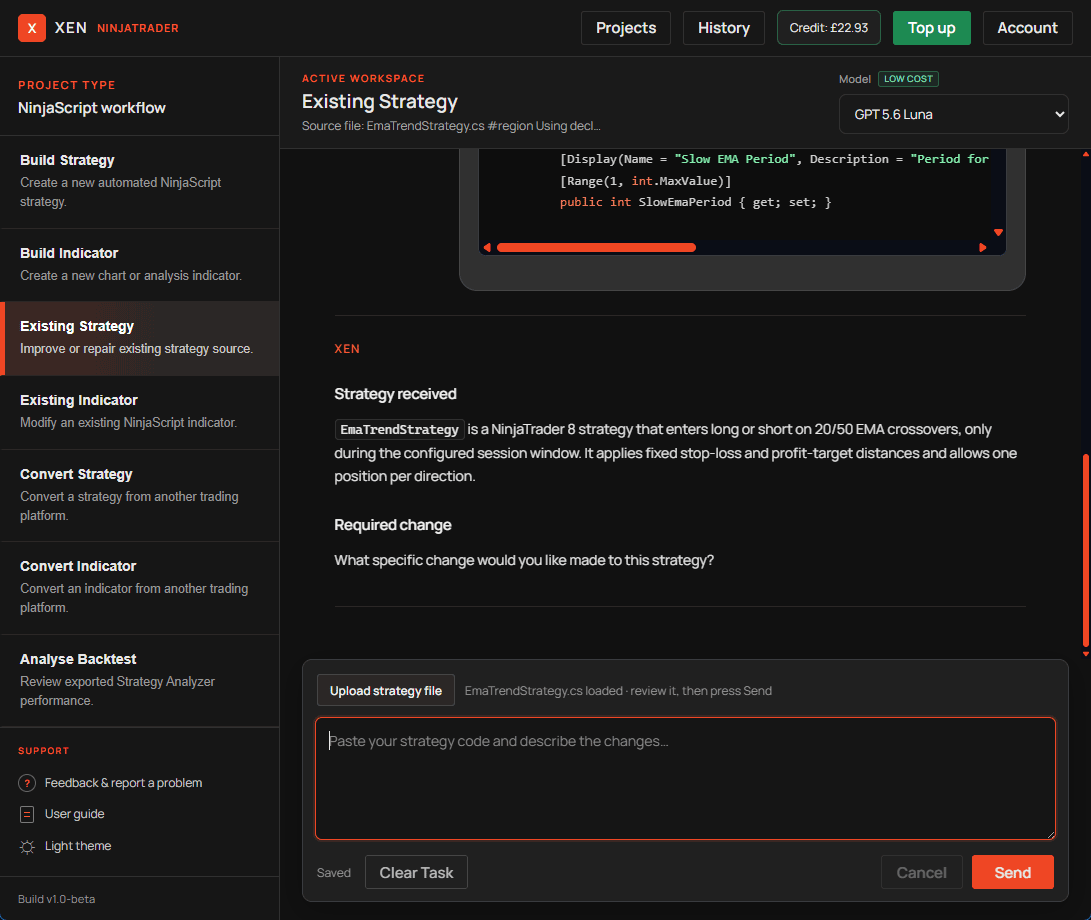
Explain what currently happens and what should happen instead. If NinjaTrader produced an error, include its exact text and state when it occurred. Compiler errors, Log messages and Strategy state information are more useful than a general statement that the script failed. Xen is instructed to preserve the class name, public inputs and unrelated working behaviour. This is important when the script is already saved in NinjaTrader templates or used in Strategy Analyzer. If a rename is required, request it explicitly.
When source is supplied without a requested change, Xen identifies the apparent script and asks what should be changed rather than rewriting it automatically.
Large existing strategies
Xen may be able to analyse a large NinjaScript strategy even when it cannot reliably return the entire modified file. Analysis can be delivered as a concise report, while a modification must reproduce the complete source without losing connected state, execution timing, order handling or dependencies.
If the complete revised source cannot fit within the AI model's response capacity, Xen blocks the rewrite before generation and does not use AI credit. Adding credit or selecting a different model does not guarantee that an oversized full-file rewrite will fit. Ask for analysis only, or divide the work into small controlled changes that can be compiled and tested separately. See Large Strategy Files for a fuller explanation.
Runtime problems
Build Check can find compilation and selected lifecycle problems, but it does not execute the Strategy or Indicator. Runtime messages from NinjaTrader must be supplied to Xen with the source. For example, an error raised from OnStateChange should include the full NinjaTrader Log message and the state reached when the failure occurred. Behavioural problems should include the instrument, data series, calculation mode and the action that exposed the issue. After a repair, compile the complete file in NinjaTrader and repeat the test that originally failed. Avoid adding another feature until the repair is confirmed.
Review without changing code
After adding the current source, click Review strategy or Review indicator. Xen reviews all attached files, explains the current behaviour, identifies defects or risks and lists requirements or decisions that still need clarification. This review does not modify or generate code. The review request uses the stored source attachments rather than copying the code into chat. Review responses and subsequent clarification decisions are retained with the existing-code project so they can be included when a later modification or merge is requested.
You can also request a more focused analysis in the message box. State clearly that you want analysis only and describe the methods, calculations or behaviour Xen should inspect. If Xen later returns a complete revised file, that generated file becomes the latest working version for the next request. Download and compile it in NinjaTrader, then report the result before requesting another unrelated feature.