Prompt Builder and Build Plans
The Prompt Builder helps when a new Strategy or Indicator request is too weak or ambiguous to build reliably. It is integrated into Xen and does not require an external GPT or a separate website.
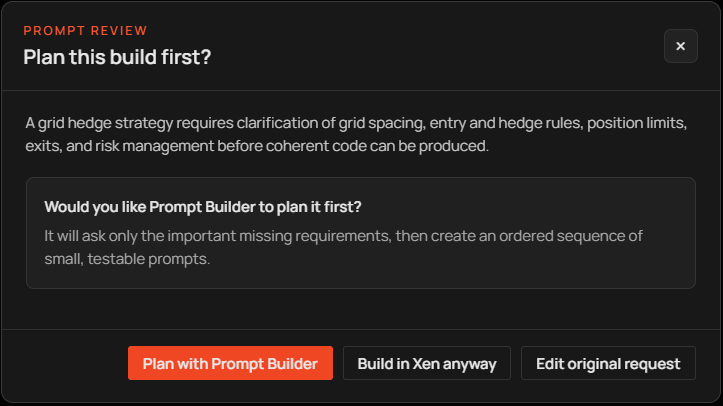
Before a build request is sent, Xen reviews its intent and clarity. If important trading requirements are missing, a Prompt Review window explains the problem and offers three choices. You can let Xen clarify the request, build the original wording, or return to the composer and edit it yourself. Later vague build requests receive the same review, while a focused change to established source, such as adding one configurable trailing stop, normally continues without reopening the builder.
Clarification questions
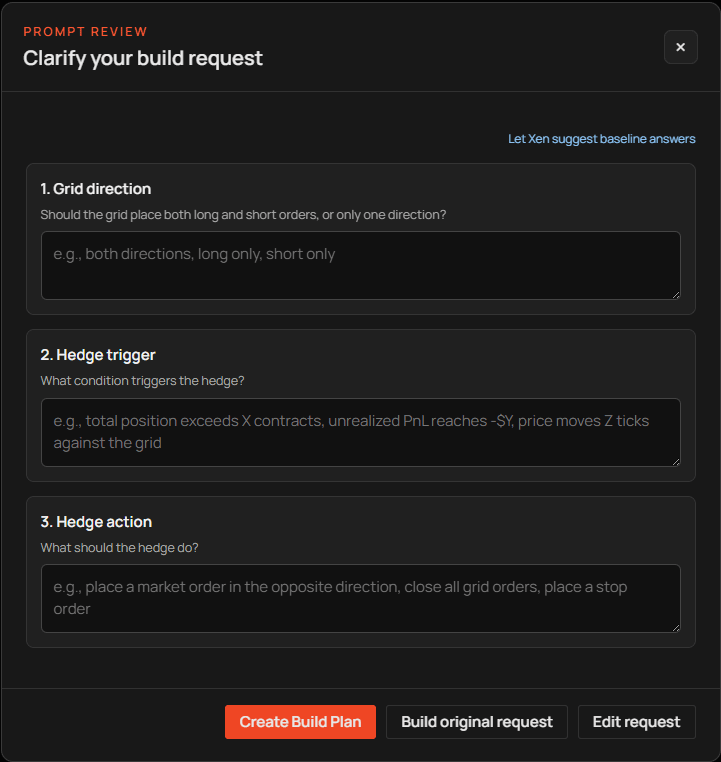
Choose Clarify with Xen when the missing information could change the result. Xen prepares only the questions relevant to the request. A simple omission may require one question; a more complex trading system may require two or three. Answers can be left blank when a sensible configurable default is acceptable. After the questions are submitted, Xen prepares a structured request for review. This preparation can take longer than an ordinary interface action because an AI model is composing the result.
If you do not have a preference for the missing rules, use the small Suggest baseline answers link. Xen fills only empty answers with sensible configurable starting points. Review and edit those suggestions before creating the plan; they are not a recommendation that the resulting strategy will be profitable or suitable for live trading. The completed request remains visible before any code is generated. Review it carefully, particularly entry timing, order behaviour and risk assumptions.
Staged Build Plans
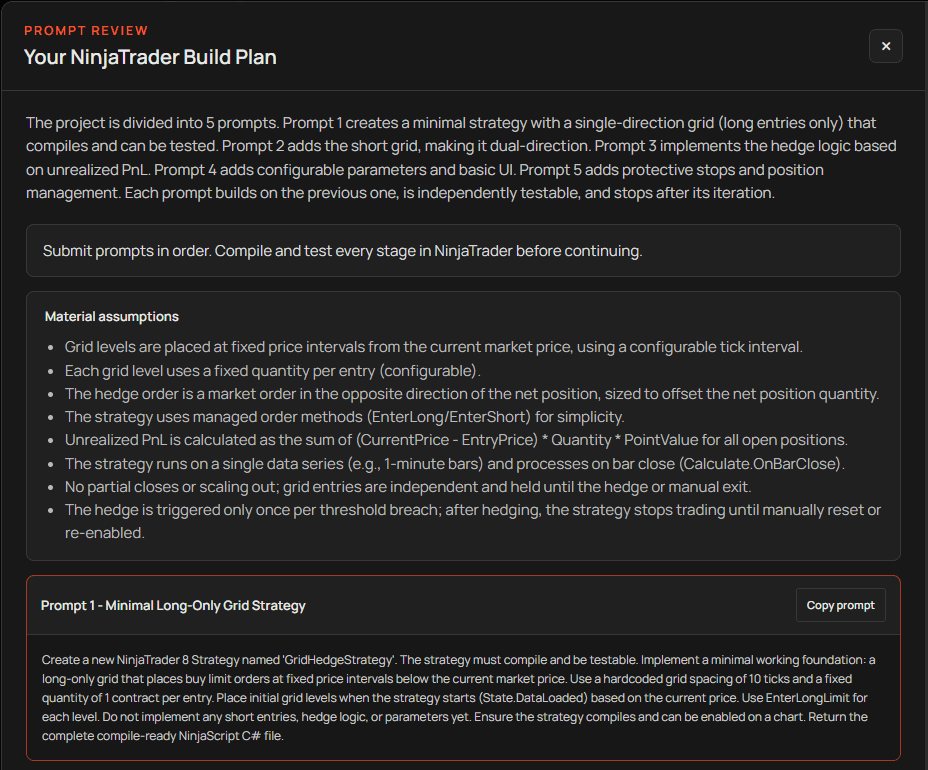
For a larger project, the Prompt Builder can create a sequence of prompts. The first prompt establishes a minimal working Strategy or Indicator. Later prompts add the requested features in controlled stages. The active plan appears above the composer and shows the current prompt, its position in the plan and the next available action. The prompt is loaded into the composer rather than submitted automatically, giving you a chance to inspect it before using credit.
After Xen returns complete code for a plan step, it automatically runs Build Check. Import the Add-On or paste the source into NinjaTrader and test the current stage. When you are satisfied that it compiles and the feature behaves correctly, load the next prompt. The final stage offers Finish plan and keeps the latest complete source available for copying or downloading. Exit plan closes an active plan without deleting the saved conversation.
When not to use the builder
A standard indicator, a familiar crossover strategy or a precise existing-code change usually does not need a Build Plan. Building in stages is most valuable when several interacting features would be difficult to compile and test if introduced at once. The builder improves the specification; it does not validate the trading idea or guarantee that the final code is profitable or error-free.