Analyse Strategy Analyzer results
Analyse Backtest is an independent Xen task that reviews results from any NinjaTrader strategy. The strategy does not need to have been created by Xen, and the analysis does not use source code or an existing Xen project. Xen does not run the backtest. Run the strategy in NinjaTrader first, check that the test settings are appropriate, and export the Strategy Analyzer Summary as a CSV file. You can also export the Trades view when you want Xen to inspect individual trades. Each uploaded file can be up to 256 KB, and no more than two files are accepted for one analysis.
Watch a Quick Demo using Xen AI
Watch this video to see how you can export your NinjaTrader backtest results ready to be imported into Xen for analysis.
Tip: Set the video quality to HD (1080p) for the best viewing experience.
Start an analysis
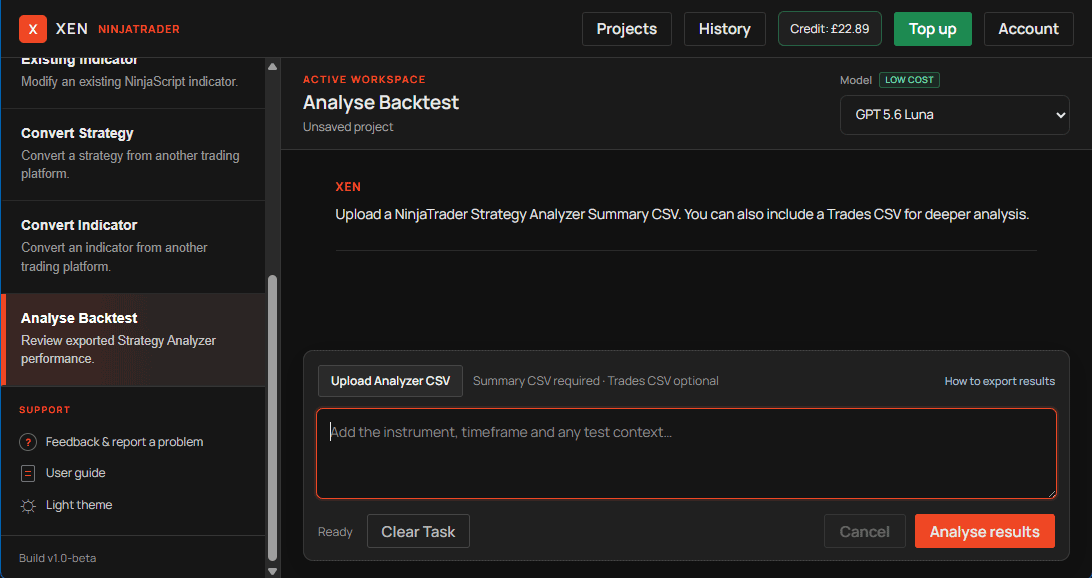
Choose Analyse Backtest from the task panel. Select Upload Analyzer CSV and add the required Summary CSV. You can include a Trades CSV when more detailed trade-distribution evidence is available. Add a short note identifying the instrument, bar interval, test period and important assumptions such as commission or slippage. Xen reviews only the supplied exports and context. It does not inspect the strategy implementation, verify that the source matches its requirements or modify the strategy. Use Existing Strategy separately when you want Xen to review or change source code.
Read and save the report
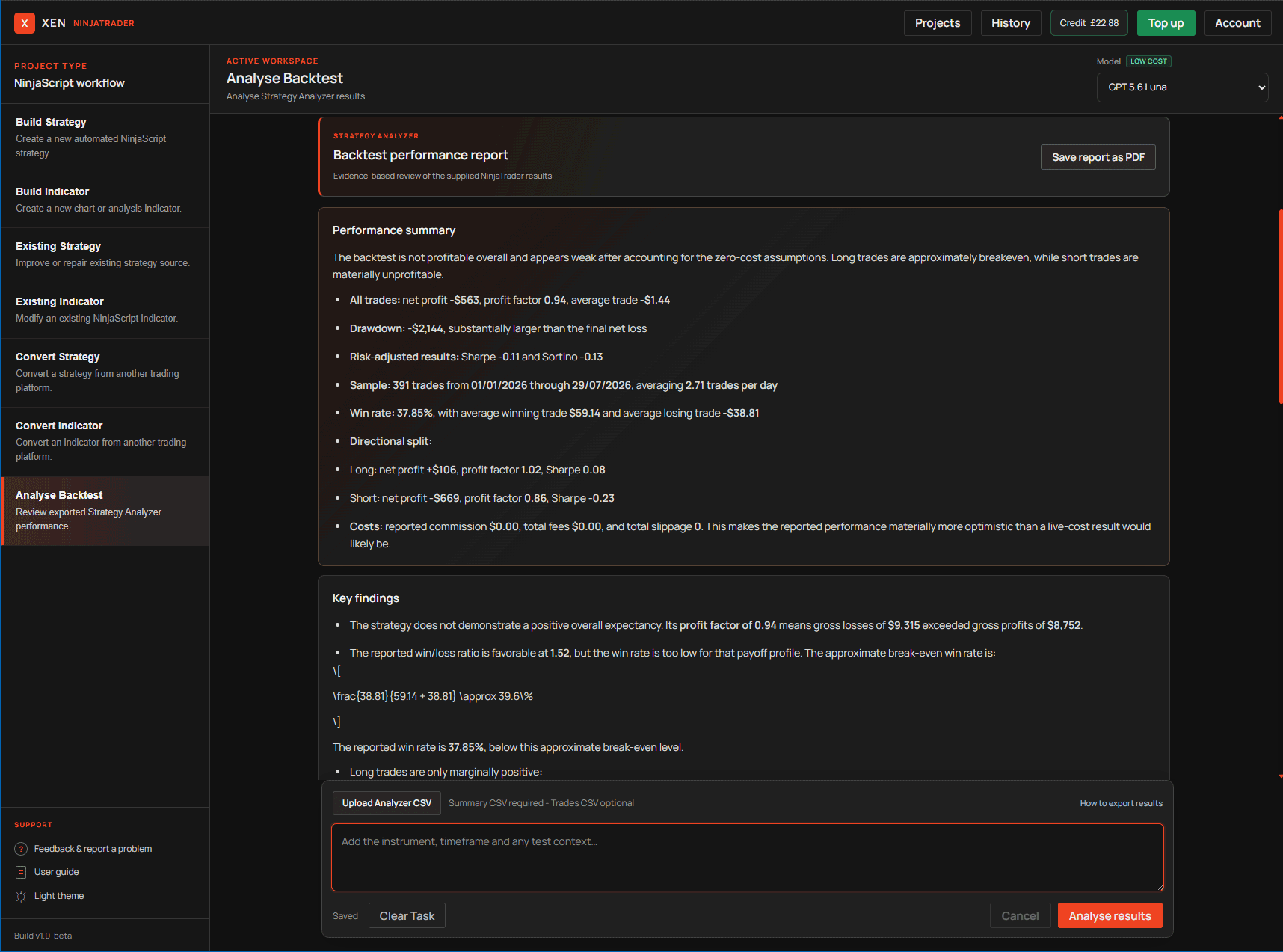
The completed report presents performance summary, key findings, risk and robustness observations, recommended tests and materially missing information in separate sections. It can highlight profitability, drawdown, trade count, win rate, profit factor, risk-adjusted performance and differences between long and short trades. It also calls attention to unrealistic test assumptions or results that may depend on a small number of unusually large trades. Select Save report as PDF at the top of the report to open the browser's print view. Choose Save as PDF in the system print dialog when you want to keep or share a copy.
Interpret the report carefully
A profitable historical test does not prove that a strategy will remain profitable. Treat Xen's report as a diagnostic aid rather than a recommendation to trade. Check that commissions, slippage, session templates, contract settings and data quality reflect how the strategy would actually be used.
If the report suggests a possible improvement, decide whether it is justified before changing the strategy. Open the relevant source in Existing Strategy, make one controlled change at a time, and rerun suitable in-sample and out-of-sample tests. Keeping analysis and source modification separate makes it easier to judge whether an apparent improvement is robust or simply fitted to one data set.