Getting Started with Xen for TradingView
TradingView Xen is an AI development workspace for Pine Script v6 strategies and indicators. It is organised around practical development tasks rather than open-ended chat. Choose what you want to do, describe the required behaviour, and Xen applies instructions and relevant examples designed for that task.
The workspace can create a new strategy or indicator, improve existing Pine Script and convert source code from another trading platform. It can also compare generated source with the original requirements, help repair Pine Editor errors, retain source revisions and analyse a TradingView Strategy Tester List of Trades export independently from the code project.
TradingView Xen does not connect to a broker, place trades or prove that generated code is safe. Copy every completed script into TradingView's Pine Editor, compile it there and test its behaviour on charts and in Strategy Tester before considering live use.
Explore TradingView Xen
Starting a project
Sign in and choose the task that matches the work you intend to perform. Use a Build task when no source exists, an Existing task when you already have Pine Script, and a Convert task when the original source belongs to another platform. Each choice changes the expected source, upload rules and the type of result Xen should return.
For a new strategy or indicator, describe the behaviour in plain language. Existing-code projects keep the authoritative .pine source separately from the conversation, while conversion projects require the original non-Pine source. Xen saves the conversation and complete generated source together so that later refinements retain the context of the project.
When a new build request leaves an important decision unclear, Prompt Builder can ask focused questions and organise a larger project into testable stages. Precise requests and focused changes can continue directly.
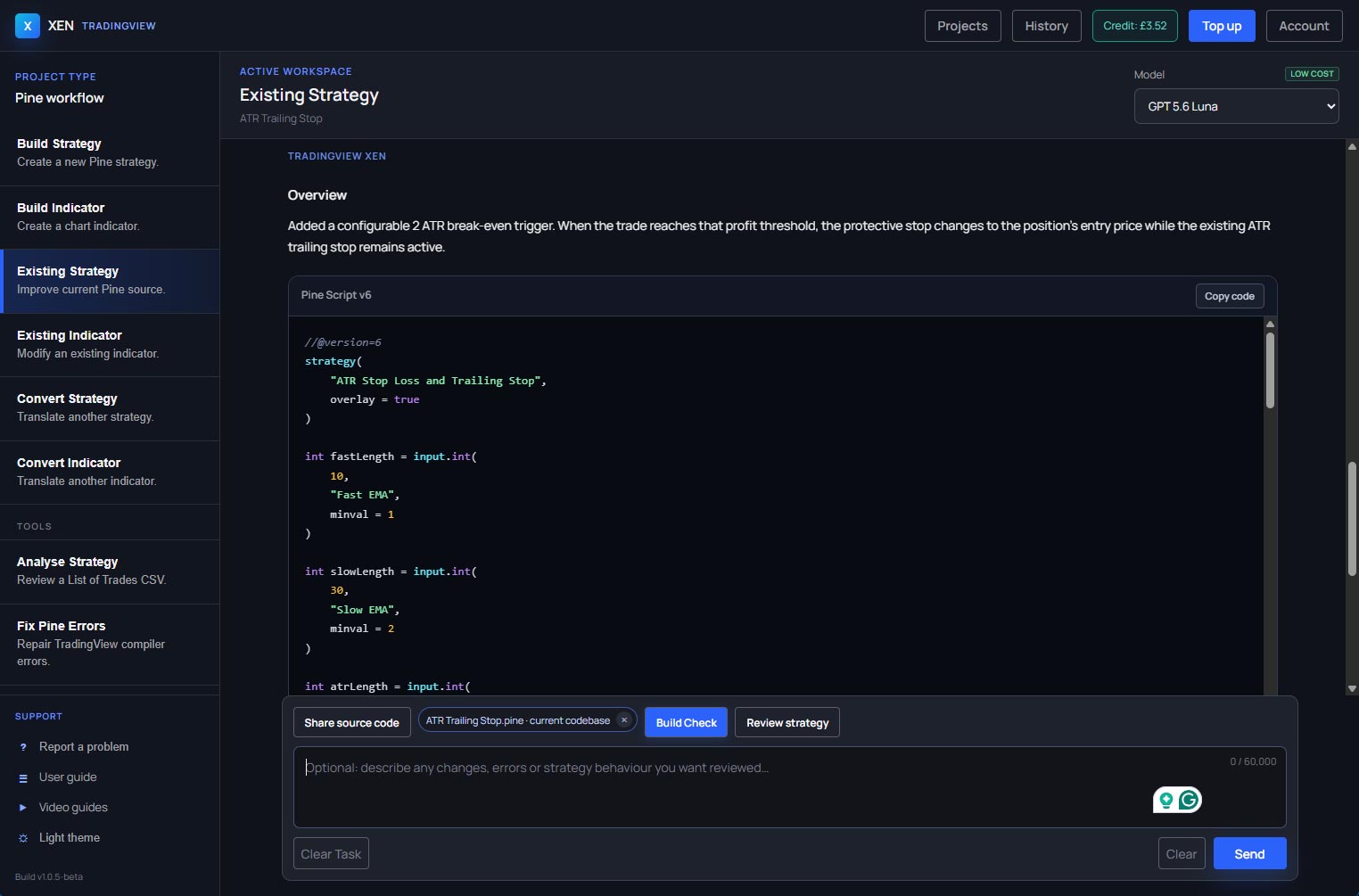
A safe development path
Treat the first generated script as the start of a development cycle. Copy or download the complete .pine file, replace the script in Pine Editor and click Save so TradingView compiles it. If Pine Editor reports an error or consistency warning, use Fix Pine errors in your selected task with the exact diagnostic and the complete current source.
Use Verify requirements when you want Xen to compare the latest complete script with the behaviour requested in the project. This is a static audit, so TradingView remains authoritative for compilation, chart behaviour, order simulation and backtest results. Use Analyse Strategy separately when you want Xen to review a Strategy Tester List of Trades CSV.
Continue with the guide
Explore the workspace and tasks
Generated trading code requires testing
AI-generated Pine Script can contain compilation, runtime, repainting or trading-logic errors. Compile it in Pine Editor and test it with suitable historical data and simulated execution before considering live use. Historical results do not guarantee future performance.