Credits and Account
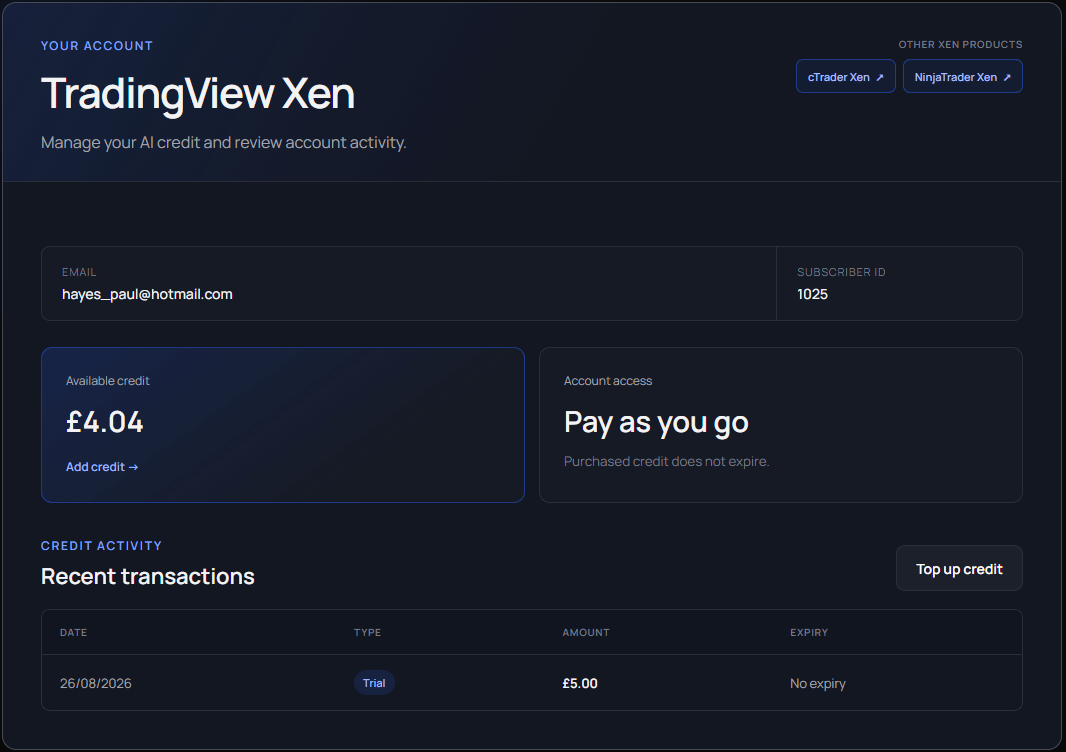
TradingView Xen is a pay-as-you-go service. The workspace displays the available balance, and each AI request deducts its actual usage cost. Cost varies with the model, source size, conversation length and generated output. Eligible new accounts receive £5 introductory credit for 48 hours.
The balance indicator changes state when credit is healthy, low or exhausted. When no eligible balance remains, Xen blocks new chargeable AI requests while leaving saved projects and account information accessible.
Trial credit
Free trial credit is subject to eligibility checks. It may be unavailable when using a VPN, proxy or certain shared or hosted networks, or when a trial has already been claimed. Geographic and other eligibility restrictions also apply. The workspace notice lists possible reasons; it does not confirm that a VPN was detected.
If you have not received credit, turn off your VPN or proxy, then sign out of TradingView Xen and sign in again using your normal connection. Signing in retries the eligibility check. Retrying does not reset, extend or replace an existing trial, and does not guarantee an award.
A temporary problem checking your account or adding trial credit can also prevent an award. Try signing out and signing in again later. A temporary failure of the network-screening service does not itself withhold trial credit.
A zero balance does not always mean a trial was refused. Previously granted credit may have been used, or trial credit may have expired after its 48-hour period. Check Account for your balance, access expiry and transaction history. Used or expired trial credit is not restored by signing in again.
You can purchase credit to continue even if you are not eligible for free trial credit. Available paid credit remains usable as normal; free-trial restrictions do not prevent paid purchases or paid usage.
Add credit
Select Top up from the workspace or account page, choose £1, £5, £10, £15 or £25 and continue to Stripe's secure checkout. Credit is added only after Xen receives and verifies Stripe's signed payment confirmation. The completed transaction then appears in the account history.
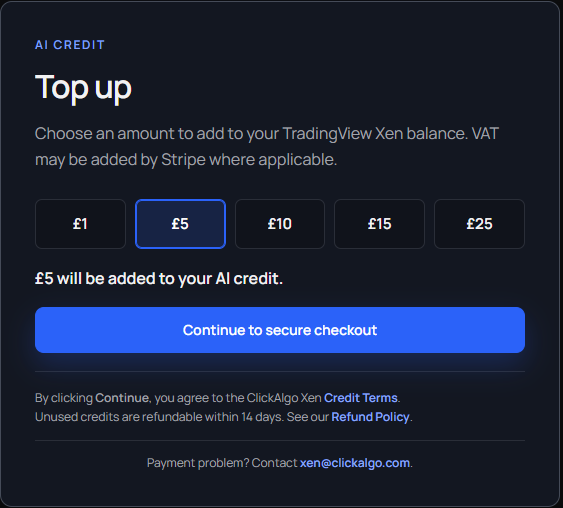
Unused purchased credits are governed by the Credit Terms and Refund Policy linked from the top-up page. If a completed payment does not appear, contact the address shown there using the email associated with the Xen account. Never send card details.
Review your account
The Account page shows the email address, platform, usable balance, access type and recent transactions. TradingView Xen accounts and balances are platform-specific even when the same email address is used with another Xen product.