Fix Pine Errors
The Fix Pine Errors task gives you a compile-first workflow for complete Pine Script files. Paste your script and select Compile & Auto-Fix. Xen runs a local compilation check, identifies compile errors and automatically fixes any errors it finds before checking the corrected script again.
You can paste the complete source directly or upload a .pine file. Always use the latest full version of the script rather than a fragment or an older revision.
Step 1: compile and automatically fix the script
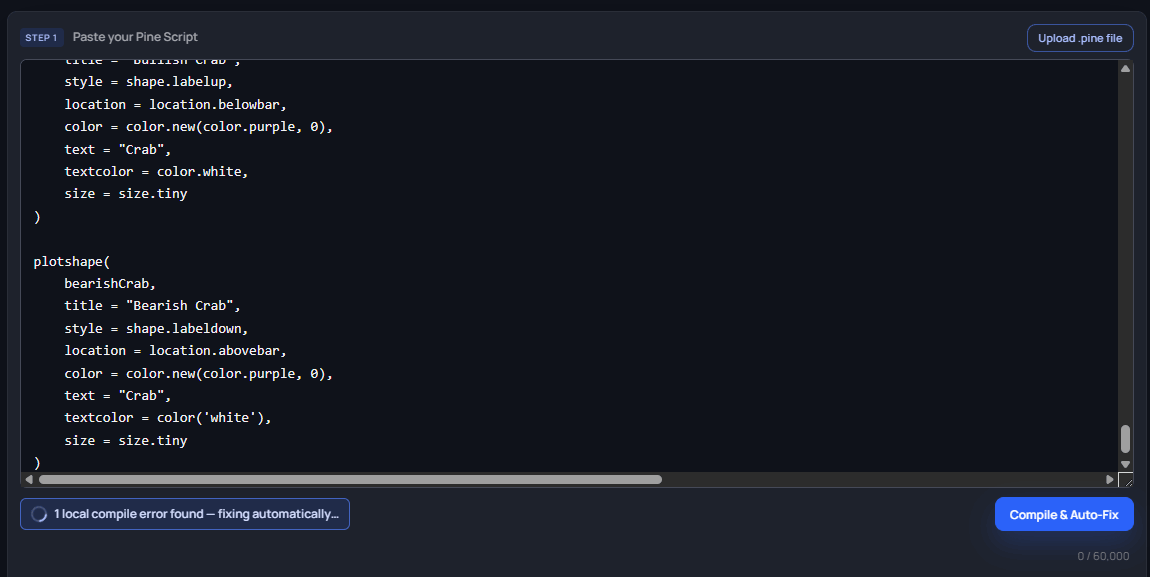
Paste or upload the complete Pine Script, then select Compile & Auto-Fix. If the check takes longer than a moment, Xen displays Compiling and checking for errors… while it works.
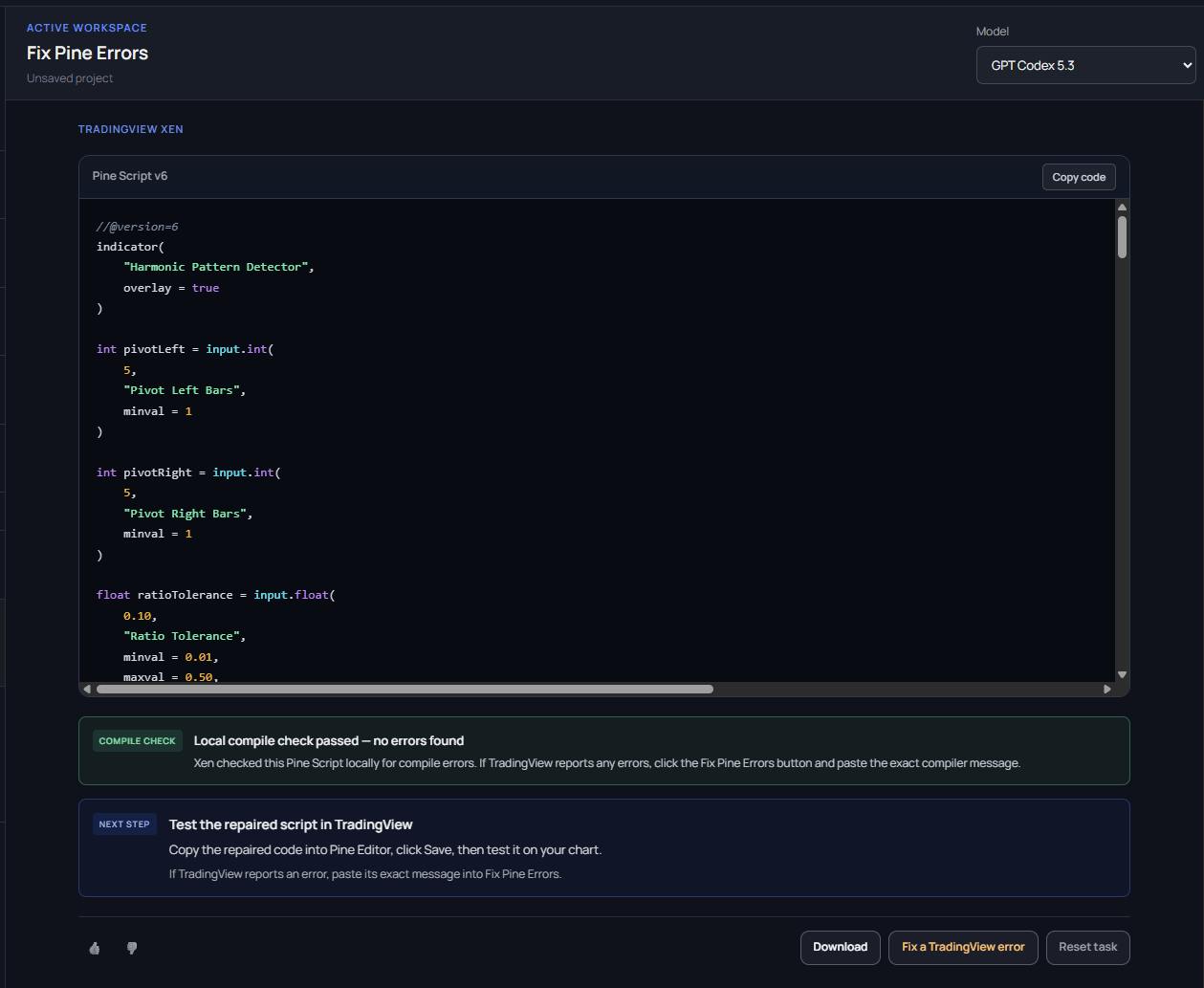
If no errors are found, Xen confirms Local compile check passed — no errors found. If the local compiler finds errors, Xen sends those exact diagnostics into its repair workflow, corrects the code and compiles the revised result again. The returned result contains one complete Pine Script file, not a fragment or diff.
Use the repaired code
After the local compile check passes, copy the complete repaired code into TradingView Pine Editor, select Save, and test it on your chart. For strategies, also review the results in Strategy Tester. For indicators, inspect plots, alerts and values across suitable symbols and chart intervals.
The result screen shows the successful compile check first, followed by the TradingView next step. You can copy the code from the Pine Script card or download the complete .pine file.
Fallback: paste a TradingView error
TradingView may report a platform-specific compiler error or warning after you save the script. If this happens, return to Fix Pine Errors with the latest complete source and paste the exact TradingView message into the fallback field.
Include the complete prefix and location, for example:
The Fix Pine Errors button becomes available when Xen recognizes a diagnostic containing the severity, line, column and message. Xen repairs the reported problem and runs another local compile check on the revised script. Copy the newest complete result back into TradingView and save it again.
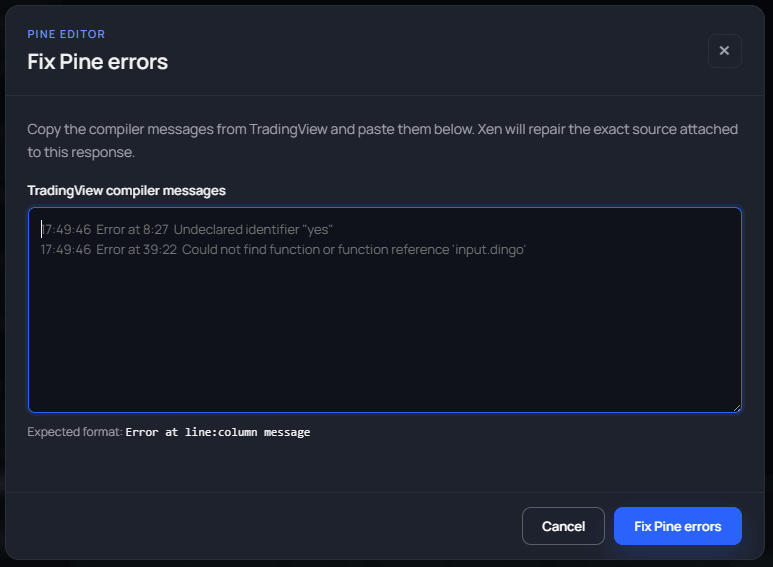
Paste diagnostic text rather than a screenshot or paraphrase. Exact wording and line and column information give Xen a precise repair target. If several errors are displayed, paste each complete diagnostic on a separate line.
Verify every repair in TradingView
The local compile check is the first quality gate, and TradingView is where you confirm the final script on a real chart. Always replace the full Pine Editor contents with the newest repaired file. Do not continue repairing an older revision after the code has changed.
A successful compile does not prove correct trading behaviour. Add the script to a chart, review the Data Window and alerts where applicable, and test strategies in Strategy Tester. Runtime and behavioural problems should be investigated through Existing Strategy or Existing Indicator with the evidence from TradingView.